New features


Picture
Fragment now uses OpenGL rendering
  • Massively improved image quality when image is scaled down.*
  • Improved overall responsiveness and animation smoothness.

OpenGL is also a prerequisite for many of the incoming features.

other features

  • Zooming in and out will always hit 25,50,100,200 and 400% zoom levels. [user idea]
  • Fragment will try to preserve the size of the image while browsing a zoomed image. This way if one has zoomed-in on a small image and moves to a big one, the on-screen image will not change its size to become enormous, it will simply render with higher quality. [user idea]

improvements

  • Improved browsing speed of big images, by better utilizing pre-cache.
  • OSX: Implemented double tap. It will toggle b/w fit image and zoom to 100% on mouse position.
  • There is now snapping around the 100% zoom level.
  • You can now cancel load with Esc.
  • Fixed problem, where the wrong image might show up, while browsing History.
  • OSX: Fixed crash when the menu is closed while "Open With" or "Share" sub-menus are still loading.
  • Linux: The image and it's thumbnail are now correctly updated upon editing the image in another application.

*It turned out, some video cards are terribly slow at the key functionality, needed for this to work, in that case this feature will be silently disabled.  
 

1.4.0

03/15/2013

0 Comments


New feature


Upload to Facebook

Upload to Facebook with message
Post an image to your Facebook Timeline. You can also select an album and add a short message.
Picture
Additional features:
  • Paste an image form the Clipboard to upload it directly.
  • Drag and drop an image from any location.
  • Images will be auto-resized upon upload to fit requirements.
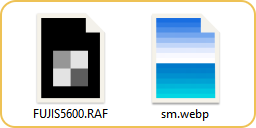
  • If file format is not supported, the image will be converted to appropriate format. Basically this means, you can upload any image Fragment can open!

Because this functionality is implemented as a plugin the startup time of Fragment is not hindered in any way. It also means, the list of image upload providers can easily be extended in the future.

other

  • New thumbnails and image previews will be correctly auto-rotated now.
  • Fixed occasional crash when changing current directory.
  • Fixed handling of image paths, containing special characters.
 

1.3.1.0

02/10/2013

0 Comments


New Features

Additional Shortcuts
user request

  • Zoom in/out (Ctrl+ +/-)
  • Pan (Ctrl+Arrows)
  OSX: Cmd+Shift+Arrows
  • Toggle UI Panels (Tab, Tab+Arrows)
  • One Folder Up (Alt+Up)
  OSX: Cmd+Up
  • Full Screen (Ctrl+Enter, F11)
  OSX: Cmd+Enter, Cmd+shift+F
  • Quit (Esc)
  • Quit and reopen in Full Screen next time (Dbl Esc, Ctrl+Q from Full Screen)

OSX: Ctrl is Command key.

Thumbs Actions

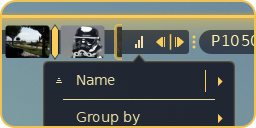
Thumbnails file actions
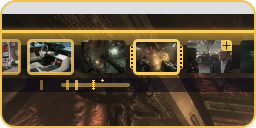
File actions menu for every thumbnail.


Improved View Modes

  • Fill View now scrolls tall images to top, much like a document viewer.
  • Relative image position is remembered b/w view modes. The image is no longer re-centered every time.
  • Zoom to 100% now toggles b/w Actual Pixels and last zoom level or view mode.

misc

  • Fit new images is now remembered b/w sessions.
  • Improved image removal.
  • Fixed crash on some .tga images.
  • Linux: fixed incorrect display of Open With app names in Cyrillic.
  • Few other small improvements.


Initial Releases

02/07/2013


Aug 28 2012: Fragment 1.3.0.0

New Features

  • OS X Support.
  • Available on App Store
  • OS X: Native Multi-Touch Gestures for Pan and Zoom
  • OS X: Sandbox support. As a side effect the user must explicitly open the image folder  to browse its content.
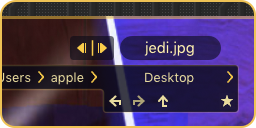
Click-to-browse
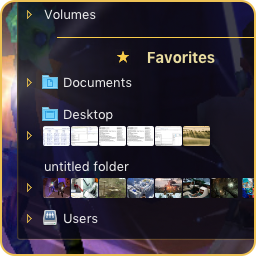
Browse a new folder with a single click.

  • Improved handling of folder access permissions.
  • 16+ more improvements.

June 28 2012: Fragment 1.0.2.0

Fragment Image Viewer (1.0.2.0) was first released for Linux on Ubuntu Software Centre!
 

Download  Follow Updates: 
Download Fragment for Linux
(Linux)
Download Fragment for Windows PC
(Windows - vote for it!)
Download Fragment for Macintosh OS X
(OS X)
Download Free Promo of Fragment for Windows PC
(Windows - free promo!)